SoundLogin Authenticator download for android 10 (Quince Tart)
APK file SoundLogin Authenticator 1.21 compatible with Android 10How to install APK / APKS / OBB file on Android
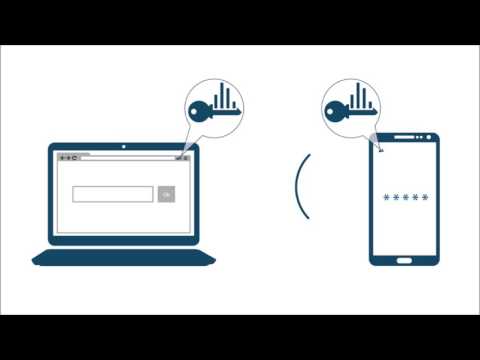

SoundLogin is a technology that simplifies two-factor authentication process.
To use it install the SoundLogin Authenticator app on your phone or tablet and the SoundLogin browser extension on your PC or Notebook (your PC must have a microphone).
The Google Chrome browser extension can be downloaded from Chrome Web Store:
https://chrome.google.com/webstore/detail/soundlogin/gogmojfgnckfkpgnipnckbghoingiemp
Extensions for Opera and Mozilla Firefox can be downloaded from our website: https://www.soundlogin.com/download.html
SoundLogin supports multiple services that offer two-factor authentication via time-based one-time passwords or SMS, such as Google, Microsoft, GitHub, VK.com, Amazon Web Services, Wordpress.com and many others.
Additional information can be found at https://www.soundlogin.com
- LicenseFree
- File nameSoundLogin Authenticator
- File Version1.21
- Package namecom.cifrasoft.cifrasoftauthenticator
- Size7.93 MB
- UploadedJune 3, 2019
- Android4.1 or later
- CategoryProductivity
- DeveloperCifrasoft Ltd.
- Developer site
- Developer emailinfo@cifrasoft.com
- md5 hashed39417d0b8def0404f81318c3e78313
- Architecturearmeabi-v7a armeabi x86 mips
- Permissionsshow (5)